
From Handwriting to Font
I spend a lot of time writing on paper with different pens and inks, but almost all of my actual work happens on a screen. I decided I wanted to bring my own handwriting onto the screen as well, so have built tools (with help from GitHub Copilot) to create fonts from my handwritten script. How else better to bring the different character of quality pens into the digital experience?
The Process
To do this right, I needed a reproducible pipeline to build a font from scans of handwriting. Drawing vector paths by hand in font editing software for hundreds of letters and alternates isn’t sustainable for me. I built hw2font, a local Python tool that automates the conversion from a scanned template to a compiled OpenType font.
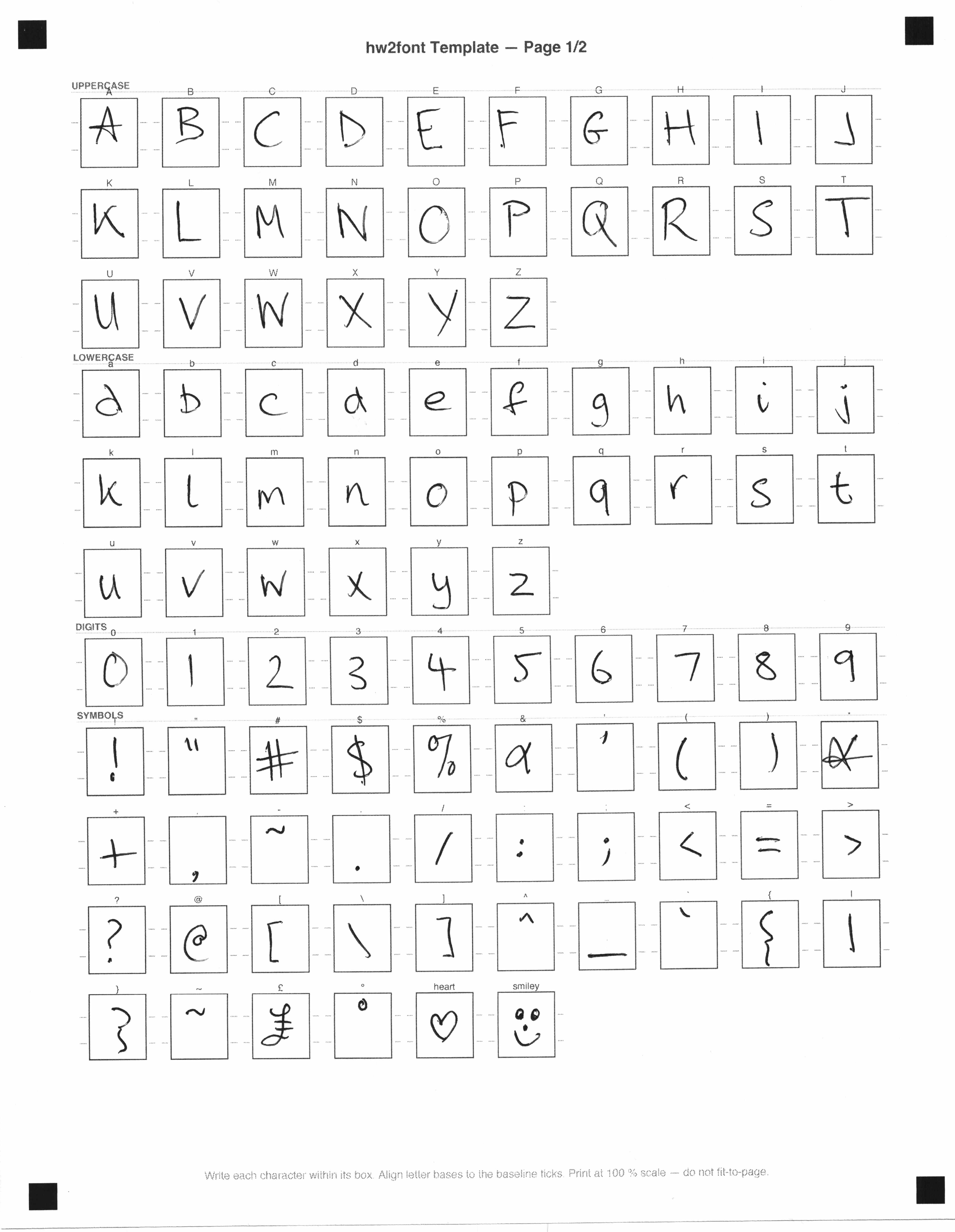
It starts with a printed grid that you fill in by hand. The key to a good handwriting font isn’t just capturing the letters; it’s capturing the inconsistency. If every ’e’ looks exactly the same, the illusion breaks immediately. By using multiple pages of the template, hw2font extracts alternates for every character, along with common ligatures (like “th” or “ff”). It then automatically programs the OpenType feature tables so the letters swap dynamically and ligatures flow naturally as you type.
The Digital Extraction
The pipeline uses computer vision (OpenCV) to deskew the high-resolution scans, measure the baselines, and tightly crop each letter. It then uses Potrace to vectorize the ink, attempting to preserve the natural line variations caused by the shading of the ink.
Autotuning the Kerning
Getting the spacing right is a labor-intensive part of font design. While the configuration file for each font gives you control over kerning and positioning of each glyph, it can be a tedious process. I added an “autotune” feature to the build process. It renders hundreds of test pairs, looking for collisions between ascenders and descenders, and iteratively adjusts the tracking and kerning before compiling the final .otf file.
The Result
The final output is a fully functional .otf font that I can install locally, as well as webfonts (.woff2) that I can embed in projects like this web site.
Here is what the final proof sheet looks like for my handwriting with a Retro 51 rollerball (REF5P refill).
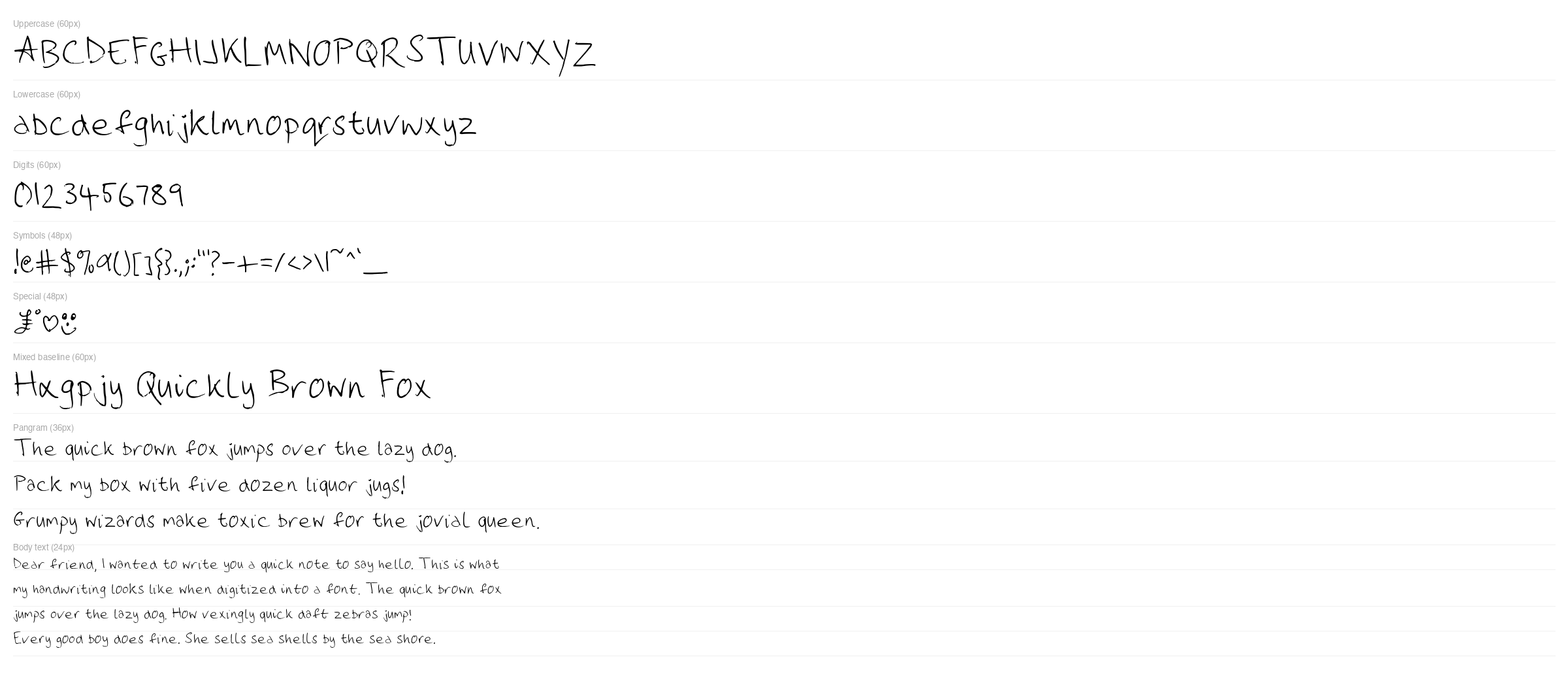
And here it is, live on the web. First the Retro 51 font, and then a font written with a medium Sailor nib in a Pro Gear.
— Rendered in EWJ Handwriting REF5P
— Rendered in EWJ Handwriting Sailor
Why not use an existing tool?
There are several web-based services that will turn a scanned grid into a font. I built hw2font because I found those tools lacking in a few key areas that matter for a realistic result:
- Contextual Alternates: The fastest way to spot a fake handwriting font is the “typewriter effect”—where every single ’e’ in a paragraph is a pixel-perfect clone.
hw2fontis explicitly built to ingest multiple pages of templates. It automatically programs OpenType substitution rules so that as you type, it cycles through your alternate scans. - “Kerning as Code”: Getting the spacing right between letters is tedious. .
hw2fonttreats spacing like software configuration. The “autotune” feature iteratively tests for letter collisions and saves the corrections to a text file. It is deterministic; you can re-run the build and your spacing rules are re-applied automatically. - Data Sovereignty: Handwriting is biometric and highly personal. By running a local pipeline, I don’t have to upload my handwriting to a random web server that might use it for a purpose I didn’t expect.
Resources
If you want to try building your own handwriting font, or just want to see how the code works, I have open-sourced the pipeline. You can find the hw2font repository here: